
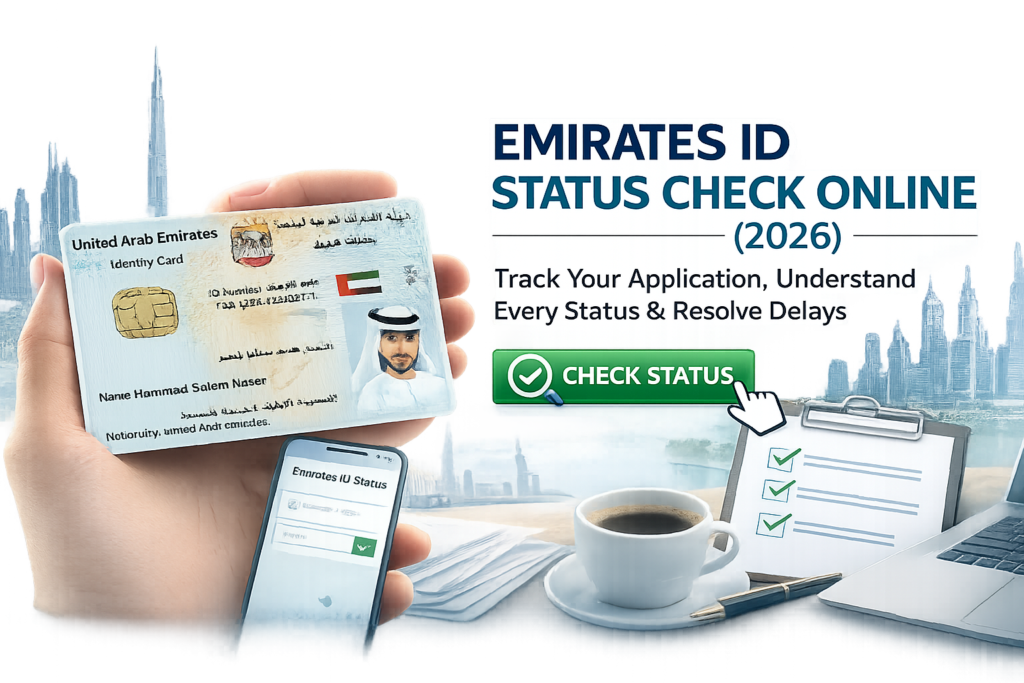
Waiting for your Emirates ID can be frustrating, especially when your application status changes but doesn’t explain what it actually means. You might see updates like “Application Under Review,” “Biometrics Pending,” or “Card Printed” and wonder whether everything is progressing normally or if you need to take action.
Your Emirates ID is one of the most important identity documents in the UAE. It is required for everyday activities such as opening a bank account, completing employment formalities, accessing healthcare services, registering a SIM card, renting a property, and using many government services. Naturally, any delay in receiving it can disrupt your plans.
The good news is that checking your Emirates ID status is simple. The challenge is understanding what each application stage means and knowing what to expect next. Many online guides only show where to check your status but don’t explain why applications sometimes take longer, what causes delays, or when you should contact the authorities.
This guide is designed to answer those questions.
Whether you’re applying for your first Emirates ID, renewing an existing card, replacing a lost one, or applying as an investor, employee, family member, student, or Golden Visa holder, you’ll learn how the entire process works—from application submission to card delivery.
By the end of this guide, you’ll know:
Instead of simply telling you where to click, this guide helps you understand what’s happening behind the scenes so you can track your application with confidence.
If you’re looking for the fastest way to track your application, follow these simple steps:
Within seconds, you’ll see the latest update on your application, including whether it is under review, awaiting biometrics, approved, being printed, dispatched to the courier, or delivered.
Tip: Save your PRAN after submitting your application. It’s the easiest way to track a new Emirates ID before the physical card is issued.
An Emirates ID is the UAE’s official national identity card issued by the Federal Authority for Identity, Citizenship, Customs & Port Security (ICP). Every UAE citizen and resident is required to have one, and it serves as the primary proof of identity across the country.
The card contains your personal information and is linked to government records, allowing secure access to a wide range of public and private services.
Depending on your residency status, your Emirates ID is typically issued after your residence visa application has been approved and the required verification steps—such as document checks and biometric registration—have been completed.
Today, the Emirates ID is used for much more than identification. It plays a central role in everyday life, including:
Because so many essential services depend on it, applicants naturally want to know exactly where their application stands and how long the remaining process is likely to take.
Your Emirates ID status shows the current stage of your application within the official processing system.
Rather than providing a simple “approved” or “rejected” message, the system updates your application as it moves through several stages. Each status reflects a different step in the verification, production, or delivery process.
For example, your application may move through stages such as:
Each update helps you understand what has already been completed and what is likely to happen next.
However, it’s important to remember that not every application follows exactly the same timeline. Processing can vary depending on factors such as your visa category, whether additional document verification is required, biometric appointment availability, public holidays, or unusually high application volumes.
This is why two applicants who submit their applications on the same day may receive their Emirates IDs on different dates.
In the next section, we’ll walk through every official application status one by one, explaining:
Understanding Every Emirates ID Status (Complete Guide)
One of the biggest frustrations applicants face is seeing a status update without knowing what it actually means. For example, if your application says “Under Review” or “Card Printed,” you may wonder whether your application is progressing normally or if there’s a problem.
The good news is that most status updates are a normal part of the application journey. Knowing what each stage represents can help you avoid unnecessary stress and understand when you should simply wait and when you may need to take action.
The table below explains the most common Emirates ID application statuses, what they mean, and what you should do next.
|
Application Status |
What It Means |
Should You Take Action? |
|
Application Submitted |
ICP has received your application and created your record. |
No action required. Wait for the next update. |
|
Under Review |
Your documents and application details are being verified. |
This is normal. Continue monitoring your status. |
|
Biometrics Required |
Your fingerprints and facial scan have not yet been completed. |
Schedule or attend your biometric appointment as instructed. |
|
Biometrics Completed |
Your biometric information has been successfully captured. |
No action required unless ICP requests additional information. |
|
Approved |
Your application has passed verification and is approved for card production. |
Wait for the printing stage. |
|
Card Printing |
Your Emirates ID is being produced. |
This stage is normal and usually doesn’t require any action. |
|
Card Printed |
Your card has been successfully printed and is being prepared for dispatch. |
Wait for courier updates. |
|
Handed to Courier |
Your card has been transferred for delivery or collection. |
Track delivery notifications. |
|
Delivered |
Your Emirates ID has been successfully delivered. |
Verify your information after receiving the card. |
|
Rejected |
ICP found an issue with your application. |
Review the reason and follow the instructions provided. |
|
Cancelled |
The application has been cancelled before completion. |
Contact ICP or your sponsor if cancellation was unexpected. |
Although the status names are short, each one represents an important step in the overall process. Let’s look at each stage in more detail.
This is the first status you’ll usually see after your Emirates ID application has been successfully submitted.
It confirms that ICP has received your application and assigned it a unique application reference (PRAN). At this stage, the system has accepted your submission, but officers have not yet completed the verification process.
Yes. Every successful application starts here.
No. This status simply confirms your application has been received.
This is one of the statuses that causes the most confusion.
Many applicants assume that remaining “Under Review” for several days means something is wrong. In most cases, that’s not true.
During this stage, ICP officers verify the information you submitted, such as:
The purpose of this review is to ensure everything matches official records before your application progresses.
Processing times can vary because of:
A longer review period does not automatically mean your application will be rejected.
In most cases, simply monitor your application. Avoid submitting another application unless you’re specifically instructed to do so.
Expert Tip: If your application has remained at this stage significantly longer than the usual processing period, check whether you’ve received an email or SMS requesting additional documents before contacting ICP.
If your status shows Biometrics Required, ICP needs to collect your biometric information before your Emirates ID can be issued.
Biometric registration typically includes:
Not every applicant will need biometrics. Requirements can vary depending on factors such as your age, residency status, and previous biometric records.
Your biometric data helps securely verify your identity and is linked to your Emirates ID record.
Without completing this stage (when required), your application cannot move forward.
Attend your scheduled biometric appointment on time and carry any required documents or identification mentioned in your appointment confirmation.
Missing your appointment may delay your application.
This status confirms that ICP has successfully recorded your biometric information.
Many applicants mistakenly expect their Emirates ID to be printed immediately after biometrics. In reality, there are still several internal verification steps before production begins.
After biometrics:
No.
Simply continue checking your application status periodically.
A common misconception is that every application follows exactly the same timeline.
In reality, processing depends on several factors, including:
For this reason, it’s perfectly normal for two applicants who applied on the same day to receive their Emirates IDs on different dates.
Excellent. We’re now entering the highest-engagement section. Many competing articles stop at “Approved” or “Card Printed.” We’ll go much deeper by explaining what happens behind the scenes, setting realistic expectations, and giving users actionable advice.
Receiving the “Approved” status is an important milestone because it means your application has successfully passed the verification process.
At this stage, ICP has reviewed your application and determined that all required checks have been completed successfully. Your application is now cleared to move into the card production stage.
For most applicants, this is the point where they can relax. Unless ICP contacts you for additional information (which is uncommon after approval), there’s usually nothing else you need to do.
Once your application is approved, it generally moves through the following stages:
No. An approved application is progressing normally. Continue checking your status for updates on printing and dispatch.
Good to Know: The time between approval and card printing can vary depending on application volume and operational schedules. A short wait during this stage is usually normal.
When your application status changes to “Card Printing,” it means your Emirates ID is being produced.
This is one of the final stages of the application process. Your information has already been approved, and the physical card is now being created.
During this stage, your Emirates ID is:
Many applicants become concerned if this status remains unchanged for several days. In most cases, this is perfectly normal.
Several factors can affect how quickly cards move through production, including:
These delays don’t necessarily indicate a problem with your application.
No action is usually required. Continue monitoring your application until the status changes to indicate dispatch or delivery.
This status means your Emirates ID has been successfully produced.
At this point, the application process is almost complete.
Your card has already been printed and verified. The remaining steps involve preparing it for delivery or collection.
Typically, the next updates include:
No.
Unless you’ve received specific instructions from ICP, you should simply wait for delivery or collection information.
Expert Insight: Many applicants assume “Card Printed” means the card is ready for immediate collection. In reality, there may still be some processing before it’s handed over for delivery.
This status confirms that your Emirates ID has left the production facility and has been transferred for delivery.
For most applicants, this is the final processing update before the card is received.
Depending on the delivery arrangement, your card may be:
This is a good time to:
If you miss a delivery attempt, follow the courier’s instructions to arrange redelivery or collection.
Congratulations—your Emirates ID has been successfully issued and delivered.
Although your application is complete, it’s a good idea to inspect the card before putting it away.
If you notice any errors, contact ICP as soon as possible to understand the correction process.
Because the Emirates ID is required for many important services, consider these best practices:
Seeing a “Rejected” status can be disappointing, but it doesn’t always mean you cannot obtain an Emirates ID.
A rejection simply means ICP identified an issue that prevented the application from moving forward.
The exact reason for the rejection will determine the next steps.
Important: Don’t submit a new application immediately without understanding why the original one was rejected. Resolving the underlying issue first can save time and help avoid repeated delays.
A cancelled application means the processing has ended before completion.
This can happen for various reasons, such as:
If you requested the cancellation, no further action may be needed.
If the cancellation was unexpected, review any communication from ICP or consult the person or organization that submitted the application on your behalf (such as your employer, sponsor, or authorized service provider) to understand the reason and the appropriate next steps.
|
Status |
What It Means |
Your Next Step |
|
Application Submitted |
Application received |
Wait for review |
|
Under Review |
Documents being verified |
Monitor your status |
|
Biometrics Required |
Identity verification pending |
Attend your appointment |
|
Biometrics Completed |
Verification finished |
Wait for approval |
|
Approved |
Application accepted |
Wait for card production |
|
Card Printing |
Card is being produced |
No action needed |
|
Card Printed |
Card production complete |
Wait for dispatch |
|
Handed to Courier |
Card is on its way |
Track delivery notifications |
|
Delivered |
Process complete |
Verify card details |
|
Rejected |
Application issue found |
Review and resolve the issue |
|
Cancelled |
Processing stopped |
Understand the reason before reapplying |
Emirates ID Processing Time: How Long Does Each Stage Take?
One of the most common questions applicants ask is:
“When will I receive my Emirates ID?”
The honest answer is that there isn’t a single timeline that applies to everyone.
The time it takes to receive an Emirates ID depends on several factors, including your visa category, whether you’re applying for the first time or renewing an existing card, whether biometric registration is required, and how quickly each verification stage is completed.
Instead of focusing on a fixed number of days, it’s more helpful to understand what influences processing time and what you can realistically expect at each stage.
Although every application is unique, most follow this sequence:
Application Submitted
↓
Document Verification
↓
Biometric Appointment (if required)
↓
Final Review
↓
Application Approved
↓
Card Printing
↓
Courier Dispatch
↓
Card Delivered
If every stage progresses smoothly, your application will continue through this journey without requiring any action from you.
The table below provides a general overview of what each stage involves. Rather than relying on exact timelines—which may change depending on individual circumstances—it helps you understand the order of the process and where delays are most likely to occur.
|
Stage |
What Happens |
What You Should Do |
|
Application Submitted |
ICP receives your application |
Wait for verification |
|
Under Review |
Documents are checked |
Monitor status |
|
Biometrics Required |
Identity verification appointment |
Attend on time |
|
Biometrics Completed |
Verification finalized |
Wait for approval |
|
Approved |
Application accepted |
No action needed |
|
Card Printing |
Physical card produced |
Continue monitoring |
|
Handed to Courier |
Card dispatched |
Watch for delivery updates |
|
Delivered |
Process complete |
Verify card details |
Important: The duration of each stage varies from applicant to applicant. If your application remains at one stage longer than someone else’s, it doesn’t automatically indicate a problem.
Many applicants compare their timelines with friends or colleagues who applied around the same time.
However, two applications submitted on the same day can still be completed on different dates.
This happens because every application is assessed individually.
Some common reasons for different processing times include:
A first-time applicant may need additional identity verification or biometric registration, while a renewal may follow a different process depending on the applicant’s circumstances.
If biometric registration is required, the overall timeline depends partly on how quickly an appointment is available and when it’s completed.
Delays in attending the appointment can also extend the application process.
In some cases, ICP may need to verify information or supporting documents before approving the application.
This extra verification can naturally increase processing time.
Government holidays and periods with high application volumes can affect processing across multiple stages, including review, printing, and dispatch.
Applications containing incorrect information or unclear documents may require additional review or correction before they can proceed.
Submitting accurate information from the beginning helps reduce the likelihood of unnecessary delays.
Many applicants assume that completing biometrics means the Emirates ID will be issued immediately.
In reality, biometric registration is only one milestone in the application journey.
After your fingerprints and facial information have been captured, ICP still needs to:
Because these steps vary from one application to another, there’s no guaranteed number of days between biometrics and receiving your Emirates ID.
If your status changes after biometrics and continues progressing through the normal stages, there’s generally no reason for concern.
Expert Tip: Don’t compare your biometric timeline with someone else’s. Different visa categories and verification requirements can lead to different processing times, even when applications are submitted on the same day.
When your application reaches the Card Printed stage, you’ve already completed most of the process.
The remaining steps typically include:
Many applicants receive their Emirates ID soon after this stage, but the exact timing depends on operational factors such as dispatch schedules and delivery logistics.
If your status remains at Card Printed for a short period, this is generally considered a normal part of the process.
If your application hasn’t changed for longer than you expected, don’t panic.
Before assuming there’s a problem, ask yourself:
If everything appears correct but the application has remained unchanged for an unusually long period, it may be appropriate to contact ICP or the organization that submitted your application for further guidance.
It’s completely normal to check your Emirates ID status regularly, especially if you need the card for work, banking, or other essential services.
However, refreshing the status page several times a day won’t speed up the process.
A better approach is to:
By understanding how the application process works, you’ll be able to distinguish between normal waiting periods and situations where follow-up may actually be necessary.
Common Emirates ID Status Problems (and What You Can Do)
Not every Emirates ID application follows the same timeline. While many applications move smoothly from submission to delivery, others may appear to pause at a particular stage or require additional verification.
In most cases, this doesn’t mean your application has been rejected. It simply means there’s another step that needs to be completed or reviewed.
Below are some of the most common situations applicants face, along with practical guidance on what you can do.
This is one of the most frequently asked questions.
If your application status has remained the same for a few days, it doesn’t necessarily indicate a problem. Some stages naturally take longer than others, especially when applications are being verified or cards are waiting to be printed or dispatched.
If your application remains unchanged for an unusually long period and you’ve received no communication, consider contacting ICP or the organization that submitted your application.
Seeing the Under Review status for several days often causes unnecessary concern.
During this stage, ICP verifies your application details and supporting documents. Some applications require more detailed checks than others, so review times can vary.
If ICP hasn’t requested additional information, the best approach is usually to wait while monitoring your application.
Avoid submitting another application unless you’re specifically instructed to do so.
This simply means your application cannot move forward until biometric registration is completed.
Once biometrics are completed successfully, your application will continue through the remaining verification stages.
Many applicants expect immediate approval after biometric registration.
In reality, biometrics are only one part of the overall verification process.
After your appointment, ICP may still need to:
Monitor your application status and wait for the next update.
If the status remains unchanged for an unusually long period without any communication, contact ICP for clarification.
This is another common concern.
The Card Printed status confirms your Emirates ID has been produced, but it doesn’t necessarily mean it’s already out for delivery.
Before reaching you, the card typically goes through:
A short delay between Card Printed and Handed to Courier is usually normal.
If your application status indicates that your Emirates ID has been dispatched, the next step is delivery or collection.
Delivery timing can vary depending on operational schedules and logistics.
If delivery appears unusually delayed, follow the instructions provided in your official notification or contact the relevant support channel.
A rejection doesn’t always mean you’re ineligible for an Emirates ID.
It simply means ICP identified an issue that must be resolved before the application can proceed.
Submitting the same information again without fixing the underlying issue may lead to another rejection.
Your PRAN is used to track a new Emirates ID application before the physical card has been issued.
If you’ve misplaced it, don’t panic.
First, check:
If you’re still unable to locate it, contact the organization that submitted your application or ICP for guidance.
An incorrect mobile number can prevent you from receiving important notifications about your application or card delivery.
If you realize the mistake, update your contact details through the appropriate official process or seek assistance from the entity that submitted your application.
Don’t wait until your card is dispatched, as delayed notifications can make delivery more difficult.
Passport renewals during an ongoing application can create uncertainty, particularly if the renewed passport contains updated information.
If your passport details changed after submitting the application, follow official guidance on whether an update is required.
If you’re unsure, contact ICP or your authorized service provider before submitting additional documents.
After receiving your Emirates ID, always review the printed information immediately.
Check:
If you notice an error, report it as soon as possible through the official correction process.
The sooner an issue is reported, the easier it is to resolve.
Most applications don’t require any follow-up.
However, you should consider contacting ICP if:
Before contacting ICP, keep your PRAN, Emirates ID number (if available), passport details, and any application reference information ready to help the support team locate your records quickly.
Before assuming something is wrong with your application, go through this checklist:
If you’ve answered Yes to all of the above and your application still appears stalled for an unusually long period, contacting ICP or the authorized service provider that handled your application is the next logical step.
Whether you're applying for the first time or renewing your Emirates ID, it's natural to have questions about the process. Below are answers to some of the most common queries applicants ask.
This is one of the most searched questions online.
The answer depends on the service you're using and the stage of your application.
For new Emirates ID applications, the official tracking process generally relies on your PRAN (Application Number) or your Emirates ID Number once it has been issued.
If you're unsure which reference number to use, check your application receipt or any confirmation messages you received when your application was submitted.
Tip: Save a copy of your application receipt. It contains important information you'll need throughout the application process.
A PRAN (Personal Registration Acknowledgement Number) is a unique reference number assigned to your Emirates ID application.
Think of it as your application's tracking number.
Before your physical Emirates ID is issued, this is the number you'll normally use to monitor your application's progress.
You can usually find your PRAN on:
Once your Emirates ID has been issued, you'll generally use your Emirates ID number instead.
Yes.
Not every stage of the application process takes the same amount of time.
Some stages involve document verification, identity checks, or card production, all of which may require different processing times depending on your application.
A status that doesn't change for a few days isn't automatically a sign of a problem.
Continue monitoring your application and watch for official notifications requesting additional information.
No.
An Approved status means your application has successfully completed the verification process.
Your physical card still needs to:
Although approval is an important milestone, there are still a few steps remaining before you receive your Emirates ID.
Yes. Companies are generally required to maintain their registration through annual renewal and ongoing compliance.
Checking your status once every day or two is usually sufficient.
Checking repeatedly throughout the day is unlikely to provide new information, as updates are only displayed after your application progresses to the next stage.
Instead of refreshing the page frequently, pay attention to official SMS and email notifications, which often provide important updates about appointments, document requests, or delivery.
It can be, particularly if the startup's activities are international and do not require direct trading within the UAE.
Collection procedures can vary depending on the delivery method and the instructions provided for your application.
Always follow the guidance included in your official delivery or collection notification.
If you're unsure whether another person can collect the card on your behalf, contact the relevant authority or delivery provider before making arrangements.
If your Emirates ID is lost, stolen, or damaged, you should begin the replacement process as soon as possible.
Delaying a replacement may affect your ability to access services that require a valid Emirates ID.
Keep a record of any reference numbers you receive during the replacement process so you can monitor its progress in the same way as a new application.
In many cases, your Emirates ID number remains the same throughout your residency, while the physical card is renewed with a new validity period.
If you're unsure about your specific situation, refer to the official guidance provided during your renewal process.
Your ability to travel depends on your overall immigration and residency status—not just the Emirates ID application itself.
Before making travel plans, make sure your visa, passport, and any other required travel documents are valid.
If your travel coincides with an ongoing Emirates ID application, it's advisable to verify whether any pending appointments or document requests could be affected.
It can, but not always.
Every application is reviewed individually.
Factors such as document verification, biometric requirements, and operational workload can all influence processing times.
Rather than comparing your application with someone else's, it's better to monitor your own application status and respond promptly to any official requests.
While some factors are outside your control, there are several simple steps that can help your application move through the process more smoothly.
Small mistakes—such as spelling errors, incorrect passport details, or outdated contact information—can lead to additional verification or requests for corrections.
Taking a few extra minutes to review your application before submission can save you valuable time later.
If biometrics are required, missing or rescheduling your appointment may delay the overall application process.
Plan your visit in advance and carry all required documents.
ICP and delivery partners may send important notifications about your application, appointment, or card delivery.
If you miss these messages, you may also miss important deadlines or delivery attempts.
If you’re asked to provide additional documents or clarification, respond as soon as possible.
Waiting several days before replying may extend your overall processing time.
Many applicants compare timelines shared on forums or social media.
Remember that every application is different.
What happened in someone else’s case may not apply to yours.
The most reliable information will always come from the official status tracker and communications sent directly to you.
Checking your Emirates ID status is easy. Understanding what each update means is what truly helps you plan your next steps with confidence.
Most applications progress normally through submission, verification, approval, printing, and delivery without any issues. Even if your status remains unchanged for a short period, it doesn’t automatically mean there’s a problem.
The key is to:
By understanding the complete application journey—not just the status messages—you’ll be better prepared to navigate the process with confidence and avoid unnecessary stress.
If you’re applying for a new residence visa, investor visa, company formation, or need assistance with your Emirates ID application, the experts at Ofin Global can help guide you through the process and ensure your documentation is prepared correctly.
Whether you’re an entrepreneur starting a business in the UAE, an employee relocating for work, or a family sponsoring loved ones, professional guidance can help reduce errors and make the application process smoother.
Your Emirates ID is one of the most important identity documents in the UAE
Apply NowOur expert will contact you within 24 hours!

UAE:
Happyhearts Corporate Services FZCO, DSO-IFZA, IFZA Properties,
Dubai Silicon Oasis
Mob: +971 50 523 5779
Email: support@ofinglobal.com
India:
Address: C – 3, Shanti Bhuvan, Dr Rajendra Prasad Rd, Mulund West, Mumbai 400080
Mob: +91 9410 247 247
